Paste a suspicious text, email, post, or screenshot and get a plain-language risk check before you tap. A clear trust score, a verdict you can read, and exactly what to do next.
A second opinion for anything suspicious
No jargon, no settings to learn. TrustCheck is built for everyday people who just want a straight answer before they respond, pay, share, or click.
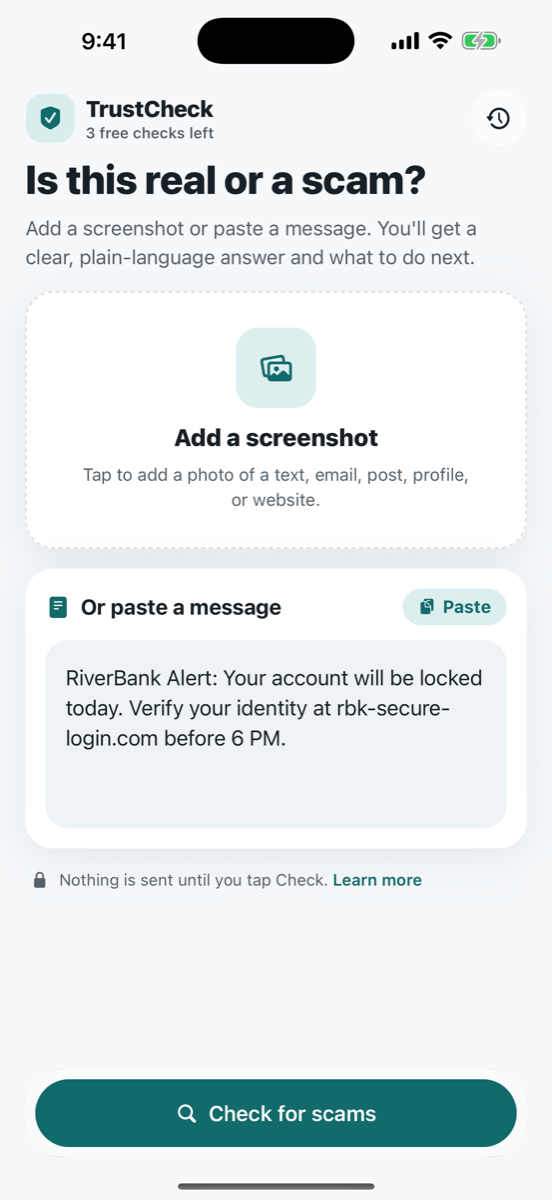
Paste a message, add a screenshot, or share it straight into TrustCheck from Messages, Mail, or your browser.
TrustCheck analyzes the content for the telltale tricks scammers use — urgency, look-alike links, impersonation, and more.
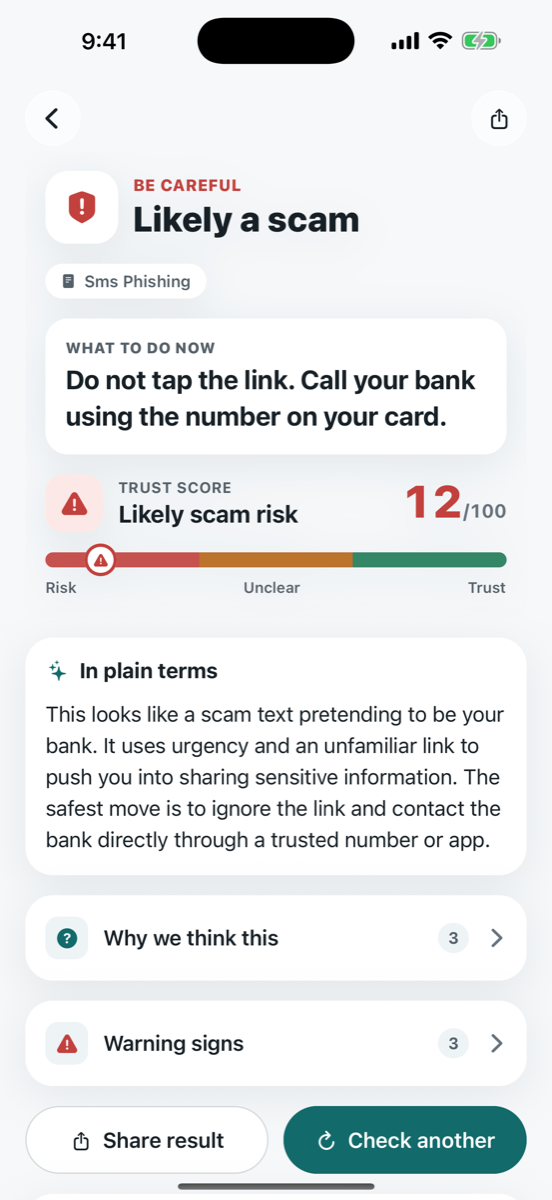
A trust score from 0 to 100, a clear verdict, and a practical next step — like “Do not tap the link. Call your bank using the number on your card.”
Trust score
Be careful — likely a scam risk
No security jargon. Warning signs and reassuring signs are separated, so you understand the reasoning in seconds.
Every check leads with the thing that matters most: what you should do next. The reasoning is right below it, in plain terms.

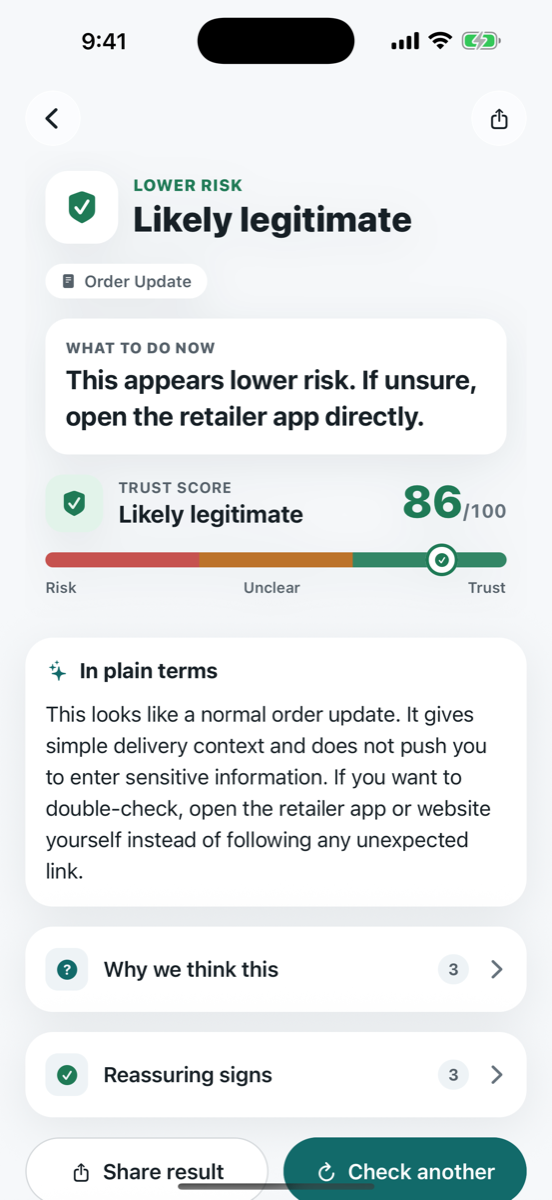
Not everything is a scam — and false alarms are exhausting. When something looks legitimate, TrustCheck says so and shows you the reassuring signs it found.

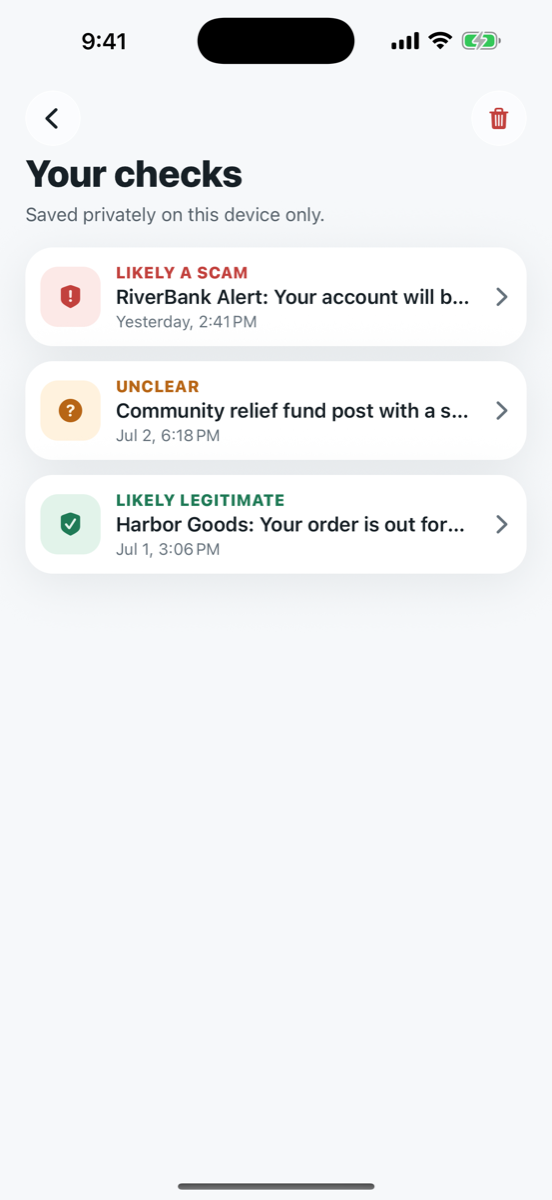
Look back at anything you've checked — the verdict, the score, and the advice. Your full check history is saved locally on your phone.

TrustCheck is a tool you reach for in a suspicious moment — not another app quietly watching what you do.
Content is sent to TrustCheck's server and AI providers only when you choose to run a check. Pasting or adding a screenshot sends nothing.
Your check history is saved locally on your phone — it's yours, not ours.
TrustCheck can miss context. For banks, bills, accounts, or legal matters, always confirm through an official channel.
Last updated July 7, 2026
TrustCheck sends scan content to TrustCheck's server and AI providers only after you tap Check. Check history is stored on your device, optional feedback content is shared only if you opt in, and TrustCheck does not sell personal data or use submitted content for advertising or tracking.
TrustCheck uses product analytics to understand app opens, screen views, scan workflow events, paywall interactions, and feedback. Original scan text, screenshots, feedback notes, and full generated explanations are not sent to analytics providers.
Email [email protected] for privacy questions or deletion requests.
Read the full Privacy Policy